 I AM NOT A HUMAN
Spoiler-free survival guide
No, I’m Not
a Human.
A stranger knocks after dark. They need somewhere to stay. How much would you need to know before letting them in?
A psychological horror game by Trioskaz, published by CRITICAL REFLEX. The full game is available on Steam, and there’s a short door-decision exercise you can try here.
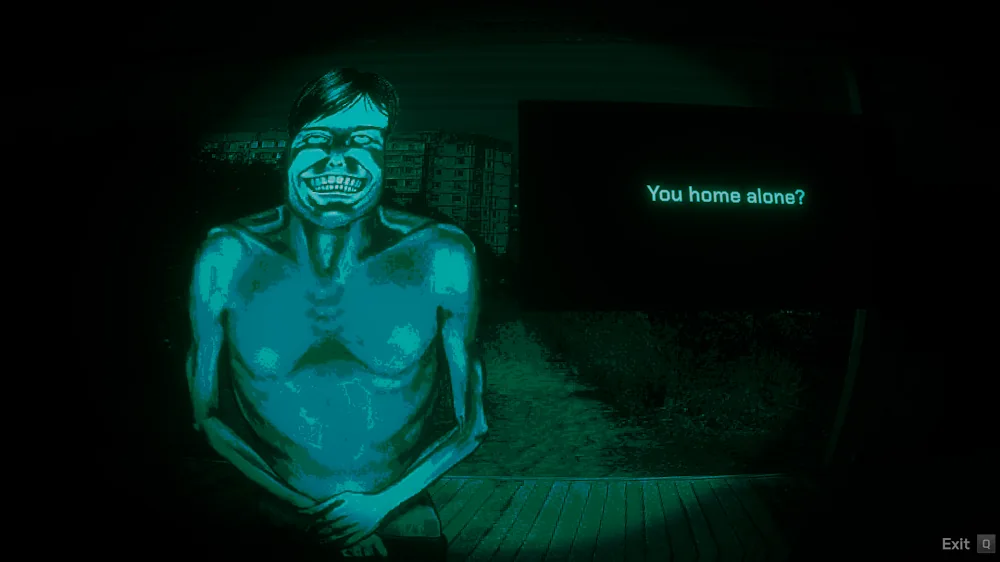
Where to play No, I’m Not a Human
Play the full game on Windows or Steam Deck. Console editions have been announced, and the door exercise on this site runs in your browser.
Windows and Steam Deck
Available now. Steam lists the full Windows game, and the developers confirmed Steam Deck verification. Check the store listing for the game by Trioskaz before you install it.
Xbox and PlayStation
Announced for 2027. Xbox announced Xbox Series X|S, Xbox One and Game Pass. PlayStation’s store page is open for wishlisting and lists the release date as to be determined.
In your browser
Try a fictional door encounter. Our short exercise gives feedback on your choice. For the official story and endings, use the Steam listing.
If you’re searching the Nintendo eShop, check the developer. I’m not a Human: Horror by Head A Games is a separate title. See the eShop listing.
Official release trailer
See the game in motion
Watch how the lighting and framing make a short conversation at the door feel uneasy. The trailer shows the game’s visual style and reveals a few scenes.
Video by CRITICAL REFLEX. Contains horror imagery.
Watch on YouTube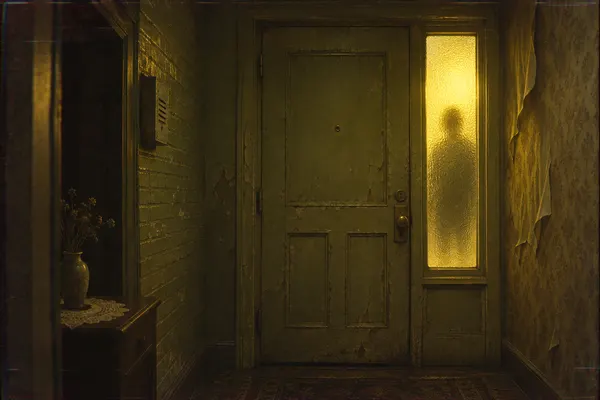
Before the first knock
How to play your first night
In No, I’m Not a Human, you’re trying to shelter people while keeping Visitors out. Use the first few encounters to see how a decision at the door changes what you can check later.
Listen before opening the door
When someone asks for shelter, pay attention to what they actually say. Pick out a concrete detail you could remember later. A convincing delivery tells you how the story sounded; it gives you little to compare when you encounter the person again.
Decide who gets inside
Visitors can pass for human. Turning someone away can also mean refusing shelter to a person who needs it. Make a choice, then remember what made you lean one way. Keeping that reason in mind makes the next encounter easier to read.
Revisit one uncertainty in daylight
When the game offers a chance to examine someone you admitted, choose a question you can actually answer with the available information. Look for a detail that supports or changes your earlier judgment. If the result still leaves room for doubt, keep track of what you learned.
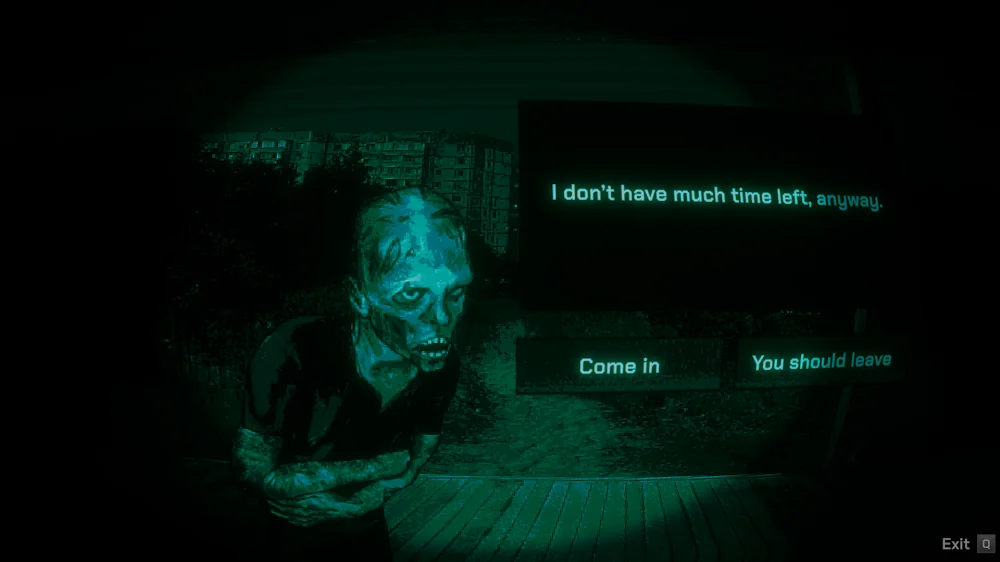
Read the scene before you answer
The screenshot shows a guest waiting at the door. The game gives you their words and two choices about whether to admit them.
Look at the exchange in the order a player receives it. You hear the guest’s account while they are outside. Choosing to let them in changes who is in the house. If you refuse, you end that opportunity to learn about this guest inside. The still image gives you no outcome, so it works as a way to study the decision without revealing what comes next.
The publisher’s image above shows the actual conversation screen. In the exercise below, you can make a similar judgment about what information to remember, using a different, fictional encounter.
Interactive example
Someone is at the door
Try a fictional door encounter before opening the game. This exercise practices how to weigh a detail. It contains no real characters, script lines or ending clues.
In your own run, you can keep the same three questions in mind. What did I directly observe? What am I assuming? Is there anything I can check before relying on that assumption?
A knock after dark
“I came from the building across the street. I haven’t seen anyone else out here.”
They sound calm. You haven’t seen the street since the blinds closed. What gives you the most useful starting point?
Remember the place they said they came from
That is a specific claim you can compare with later information. It may still be wrong, but the claim is clearer than a general impression of how the stranger sounded.
Treat their calm voice as proof
A calm delivery gives you an impression. Both a frightened person and someone pretending to be harmless could try hard to sound composed. You still have the same unanswered question.
Make the decision while the story is uncertain
Sometimes you have to choose with the details you already have. Notice what risk you are accepting, then remember the reason in case something changes later.
What is a Visitor?
Visitors look like people seeking shelter. An inspection can give you a reason to look closer. CRITICAL REFLEX gives red eyes as an example of a sign that may also appear in an ordinary person.
Pay attention to one guest on your first run
Remember one detail from their conversation at the door. See if you learn anything later that changes how you read it. The publisher describes variation between playthroughs, so you may notice a different detail the next time you play.
A short decision log for your first run
If the conversations start to blur together, give one guest three lines in a notebook. Read them together after your next encounter with that person.
At the door
Write one claim in plain language. In the fictional exercise above, the useful detail is the building across the street. You can revisit that detail even if you forget the speaker’s exact words.
After the inspection
Write the visible clue or new information and note how you obtained it. Mark which part is your interpretation. This makes it easier to compare two findings without treating them as two copies of the same hunch.
Before the next decision
Ask which mistake you’re more concerned about in this encounter. Keeping someone dangerous inside and refusing shelter to a human carry different consequences. The uncertainty is part of the decision.
No, I’m Not a Human PC requirements
The Steam listing has one Windows hardware specification for both minimum and recommended settings. These are the publisher’s listed requirements.
Check current requirements on Steam- Operating system
- Windows 10
- Processor
- Intel Core i5
- Memory
- 2 GB RAM
- Graphics
- GeForce GTX 960
On Windows, press Ctrl + Shift + Esc and open the Performance tab in Task Manager to find your CPU, memory and GPU. Steam lists a CPU family here, so check your exact model if it’s an older i5. The listing does not specify a target frame rate.
Before you play
Common questions
Can I play No, I’m Not a Human in a browser?
This site offers a browser-based decision exercise and the official trailer. The full game is available through Steam. Compare platform availability before you choose where to play.
What should I look for during the first night?
Remember what each person told you, especially a detail you could revisit. The opening decisions give those details a purpose when you get a chance to examine someone later.
Do I need to know all the signs before playing?
You can start by following the game’s prompts. Give yourself time to hear conversations and notice how new information changes your reading of an encounter. Save character and ending guides for later if you want to keep the surprises.
Do I have to read a walkthrough to get an ending?
You can follow the story through your own choices. If you want to compare outcomes later, make a note of which guests you let in and what you did when you became unsure about them.
What should I know about the content?
Expect psychological horror, disturbing imagery and difficult choices about who receives shelter. Read the publisher’s content description on Steam if you need more detail before playing.